

On 10 November 2026, OpenAI launched Businesses in ChatGPT in beta. For the first time, you can claim your company’s profile inside ChatGPT, correct what it says about you and see first-party data on how often it mentions you.
ChatGPT already talks about your brand when buyers ask it for recommendations, comparisons and shortlists. Until now, you had no direct say in what it showed and no official numbers on how often you came up. Business Profiles change both.
We claimed Common Ground’s profile, and the image below shows what it looks like once verified.
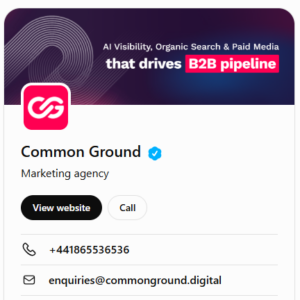
This guide covers what profiles are, why B2B brands should claim theirs now, and how to set one up.
What are ChatGPT Business Profiles?
A ChatGPT Business Profile is a verified listing for your company inside ChatGPT, managed through a new dashboard called Business Hub. Think of it as Google Business Profile for AI answers.
When ChatGPT mentions your business in an answer, users can open your profile to see your details. Through Business Hub you can:
- Claim and verify your business, which adds a blue check to your profile
- Update your details, such as category, description, contact details and policies
- Add product feeds with pricing and availability (most relevant to ecommerce)
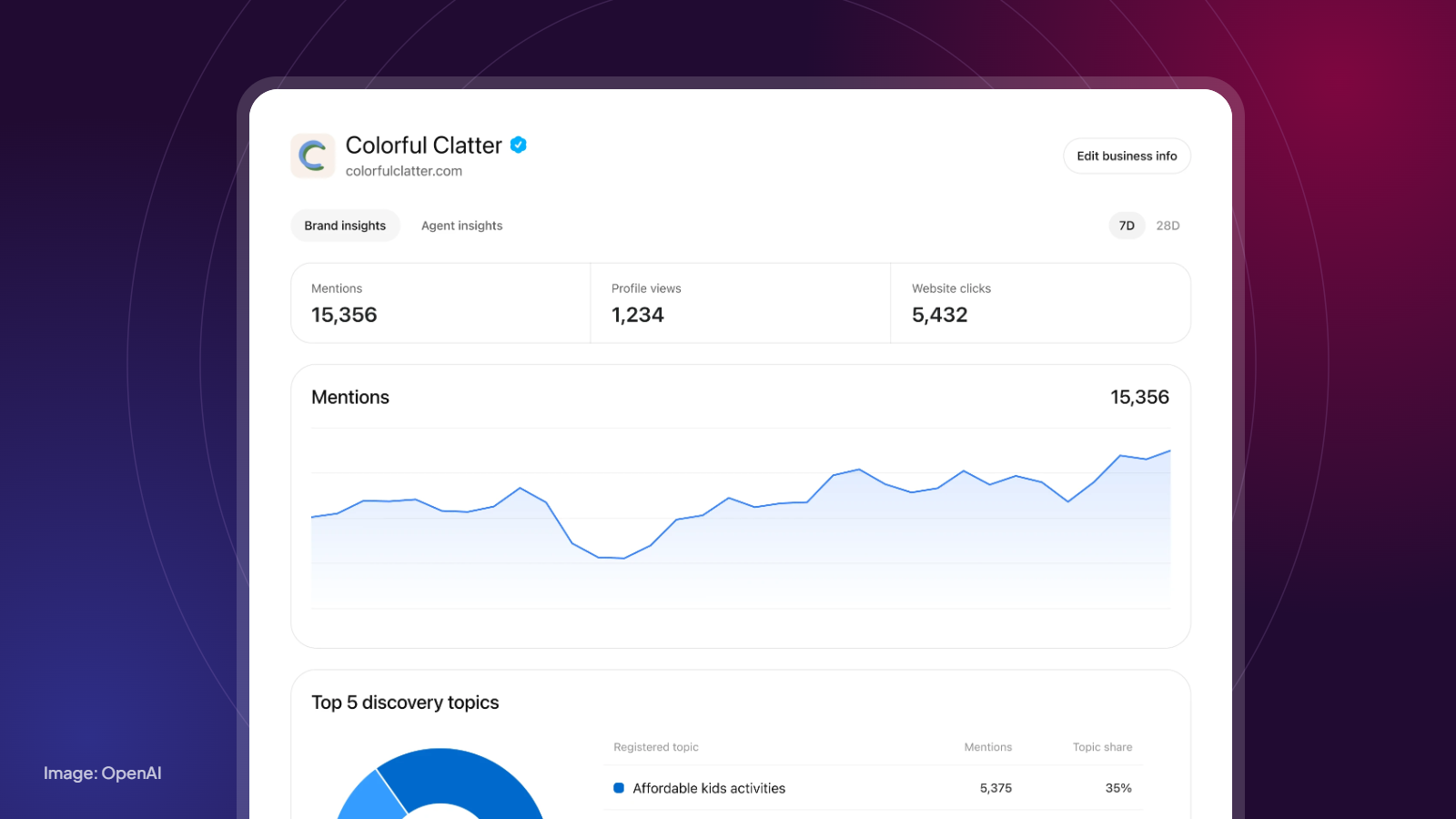
- See insights on how often ChatGPT mentions you, how many people view your profile and how many click through to your website
- Launch a Business Agent (US only for now): a branded assistant people can chat with from your profile, which answers using your business information
OpenAI says 1.2 billion people use ChatGPT each week. It also says it doesn’t share users’ conversations or Business Agent chat logs with businesses, so the insights you see are aggregated.
Why B2B brands should claim their profile now
ChatGPT is already describing your business: OpenAI says ChatGPT may show information about your business whether or not you’ve claimed it. If that information is out of date, lists the wrong services or frames a competitor better, that’s the version buyers see. Claiming gives you a source of truth.
B2B buyers are shortlisting in AI tools: Prompts like “best SEO agencies for SaaS companies in the UK” or “alternatives to [competitor]” now happen in ChatGPT before a buyer visits your site. When you appear, your profile is what they click into.
You finally get first-party AI visibility data: Until now, AI visibility has been measured with third-party prompt tracking and estimates. Business Hub gives you OpenAI’s own numbers on mentions, profile views and click-throughs. That’s a baseline you can report on.
Trust matters in considered purchases: A blue check tells buyers the details come from you, not a scraped summary.
It’s free, and it’s early: There’s no cost to claim at launch, and most of your competitors won’t have done it yet.
What it won’t do: OpenAI is clear that ChatGPT keeps making independent recommendations, and that claiming a profile doesn’t change your visibility or guarantee placement. Your profile makes sure you’re described accurately when you appear. Getting mentioned in the first place still depends on your content, your reputation and how you’re cited across the web. That’s where AI visibility work comes in.
Who can claim a profile?
Any eligible business located where ChatGPT is available can claim a profile, as long as OpenAI supports the required verification there. That includes the UK. Business Agents are more limited.
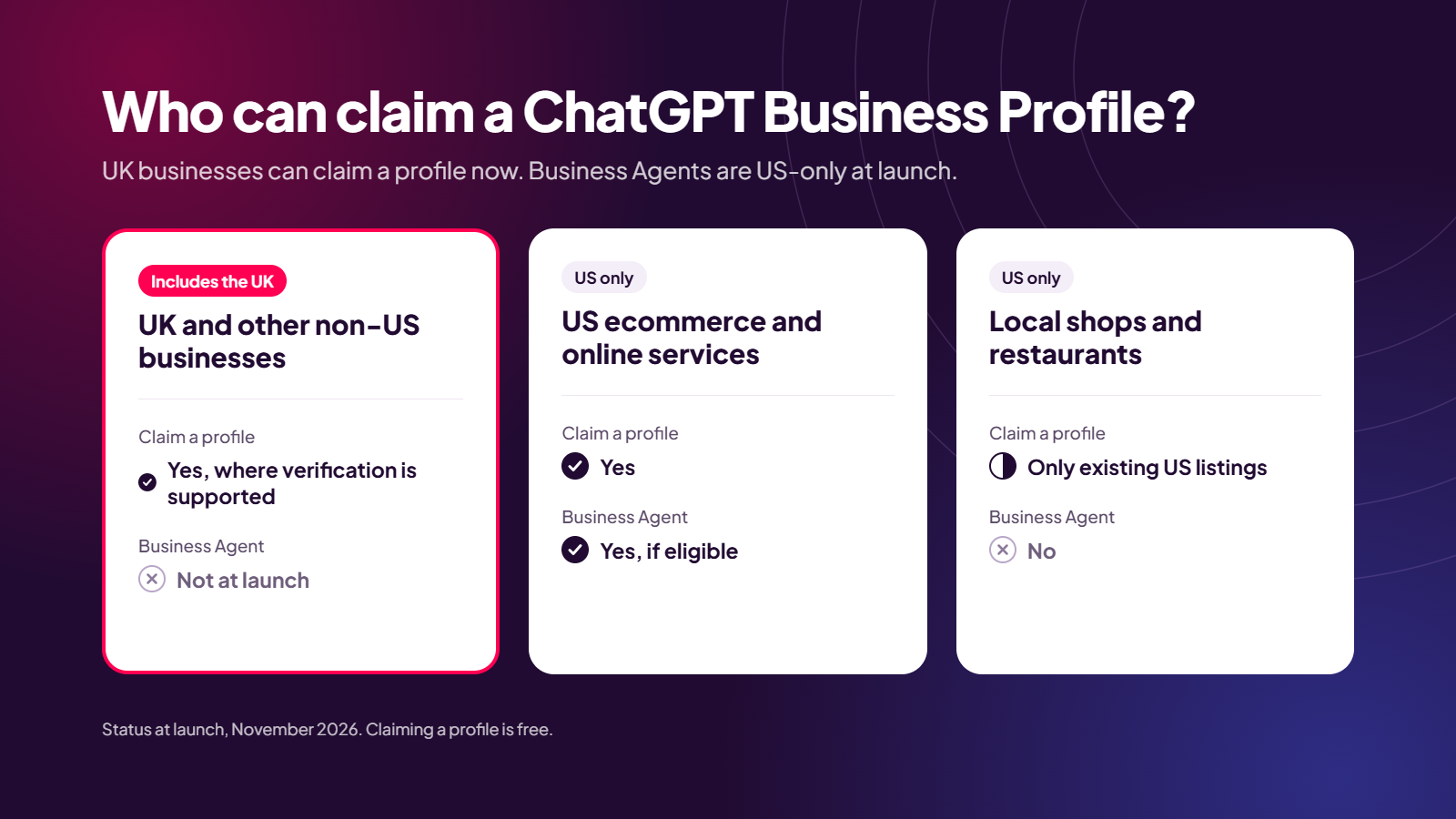
A few more things to know:
- It’s free. You don’t need a paid ChatGPT plan, an Ads account or an Enterprise agreement.
- It’s not the ChatGPT Business plan. That’s OpenAI’s paid subscription for teams, and it’s easy to land on by mistake.
- OpenAI can say no. Not every business or category can claim a profile yet, and OpenAI hasn’t published a country list.
- Enterprise customers and advertisers can claim through their OpenAI account rep instead.
Before you start
Gather these first so you don’t get stuck halfway through:
- The ChatGPT account that should own the profile. Any plan works, including free. This account becomes the admin, so use one tied to the business rather than someone who might leave.
- One way to prove ownership: access to the business phone line or inbox, your domain’s DNS settings, or your Shopify login.
- ID for the person verifying, plus business registration details that match official records. For UK companies, that means your Companies House details.
- Your legal name, registered address and company number, copied exactly from the official record so you can paste them in.
- A short, accurate description of what you do, who you do it for and where.
- Delivery and returns policies (ecommerce only).
How to set up your ChatGPT Business Profile
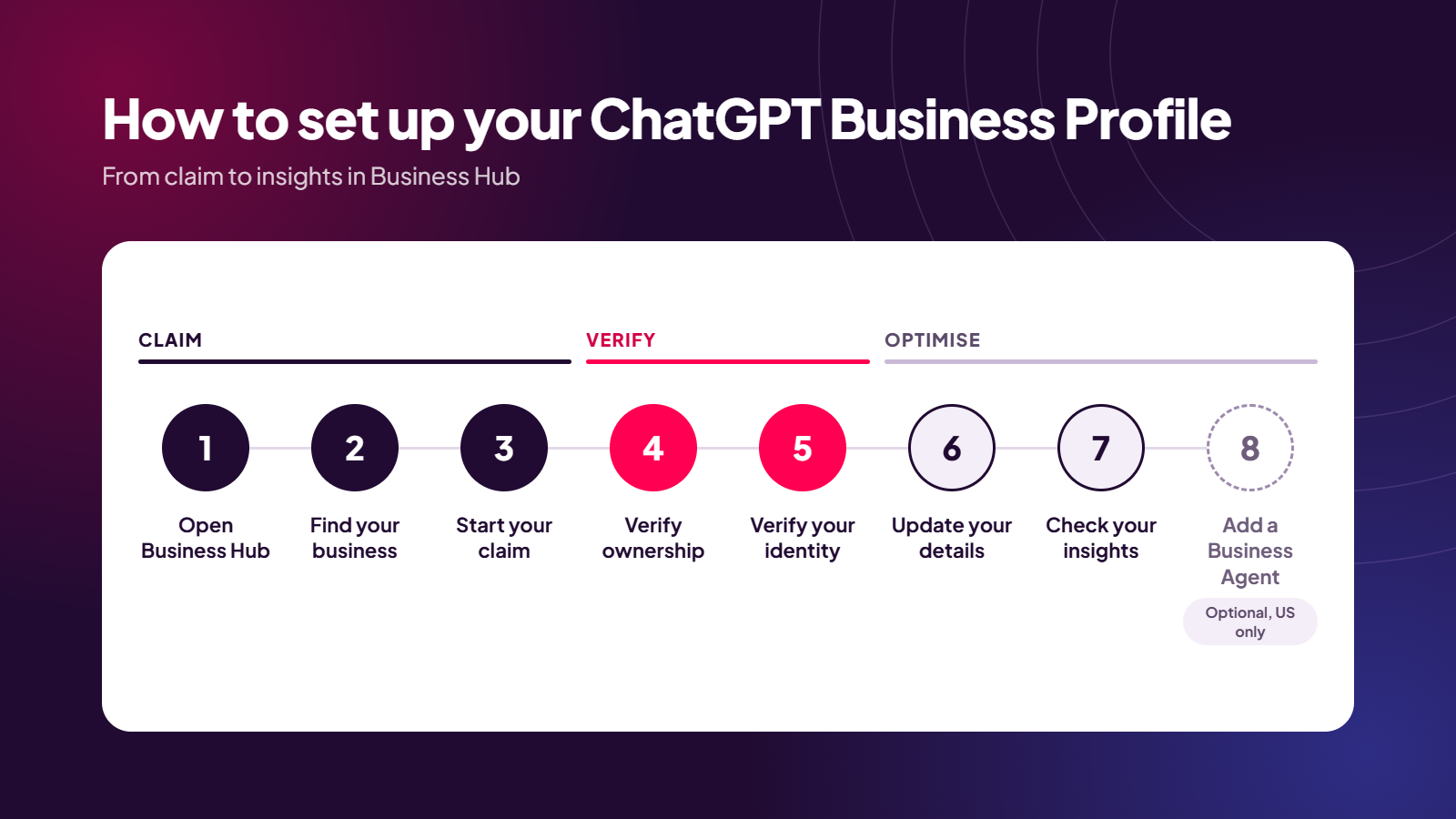
- Open Business Hub. Sign in to ChatGPT with the account that will own the profile. Open Business Hub from the sidebar, or go to chatgpt.com/business-hub. If OpenAI has emailed you a claim invitation, use that link instead.
- Find your business. Search for the name customers know you by and check the address matches. If you’re an online business and you aren’t listed, create a new profile and add your category, a short description and contact details.
- Start your claim. Select Get started, check the account shown is the right owner, then continue. This accepts OpenAI’s Businesses in ChatGPT Terms. Then choose how customers reach you: physical location, online store or service.
- Verify ownership. Choose business phone, business email, website domain (a DNS record) or Shopify. DNS changes can take a few hours to show up, so allow time if you go that way. OpenAI reviews the claim and emails you its decision. There’s no published timeline.
- Verify your identity with Persona. Once your claim is approved, you complete an ID check through Persona, OpenAI’s verification partner. Your ID and business details need to match official records.
- Update your business details. Edit your profile so it’s accurate and matches your website. There’s guidance on what to write below.
- Check your insights. Open your business in Business Hub and select Insights to see your starting numbers.
- Set up a Business Agent (optional, US only). Eligible US businesses can build, test and publish an agent from their claimed profile.
Watch-outs
- New profiles publish automatically on approval, and OpenAI Support won’t delete, unpublish or hide them. You can edit your details later, but check everything before you submit.
- Brands and locations are claimed separately. Claiming your main brand doesn’t cover individual locations or sub-brands. Start with the brand, then work through the rest.
- Someone else may have claimed you. If so, use Dispute ownership and verify through Persona.
- Some listings are locked. If yours shows Contact support, you’ll need to request access.
- Choose your admin carefully. The account that claims the profile becomes its admin, and can add teammates or agency access later.
What to do once you’ve claimed it
Claiming your profile is only the first step. To get value from it:
- Write your description for buyers. Say what you do, who it’s for and where, in plain language. Lead with the problem you solve, not your company history.
- Keep your story consistent. Use the same name, services and positioning on your profile, website, LinkedIn and Google Business Profile. Mixed signals confuse AI models just as much as they confuse buyers.
- Record a baseline. Note your mentions, profile views and click-throughs in the first month. Then track them monthly alongside your organic and paid reporting.
- Fix the source as well as the profile. If ChatGPT describes you wrongly, the cause is usually your site content or what third parties say about you. Update those too.
- Give your agency access. If an agency runs your search and AI visibility, add them so your profile is looked after alongside your other channels.
How visible is your brand in AI search?
Business Hub tells you how often ChatGPT mentions you. It won’t tell you why you’re mentioned, which prompts you’re missing, or how you compare with competitors. It also only covers ChatGPT, while your buyers are using Gemini, Perplexity and Google’s AI Overviews too.
At Common Ground, we help B2B brands go from being mentioned to being recommended. We track the questions your buyers ask AI tools, where you show up against your competitors and which sources those tools trust.
Then we fix what’s holding you back across your content, your site and how you’re cited across the web.
If you want to know where you stand in AI search, and what it would take to become the brand AI tools recommend, book a call.
Like what you’re reading? Get it in your inbox.
Join hundreds of B2B marketers getting practical SEO, PPC, and content insights. No fluff, no spam, just smart thinking that drives results.